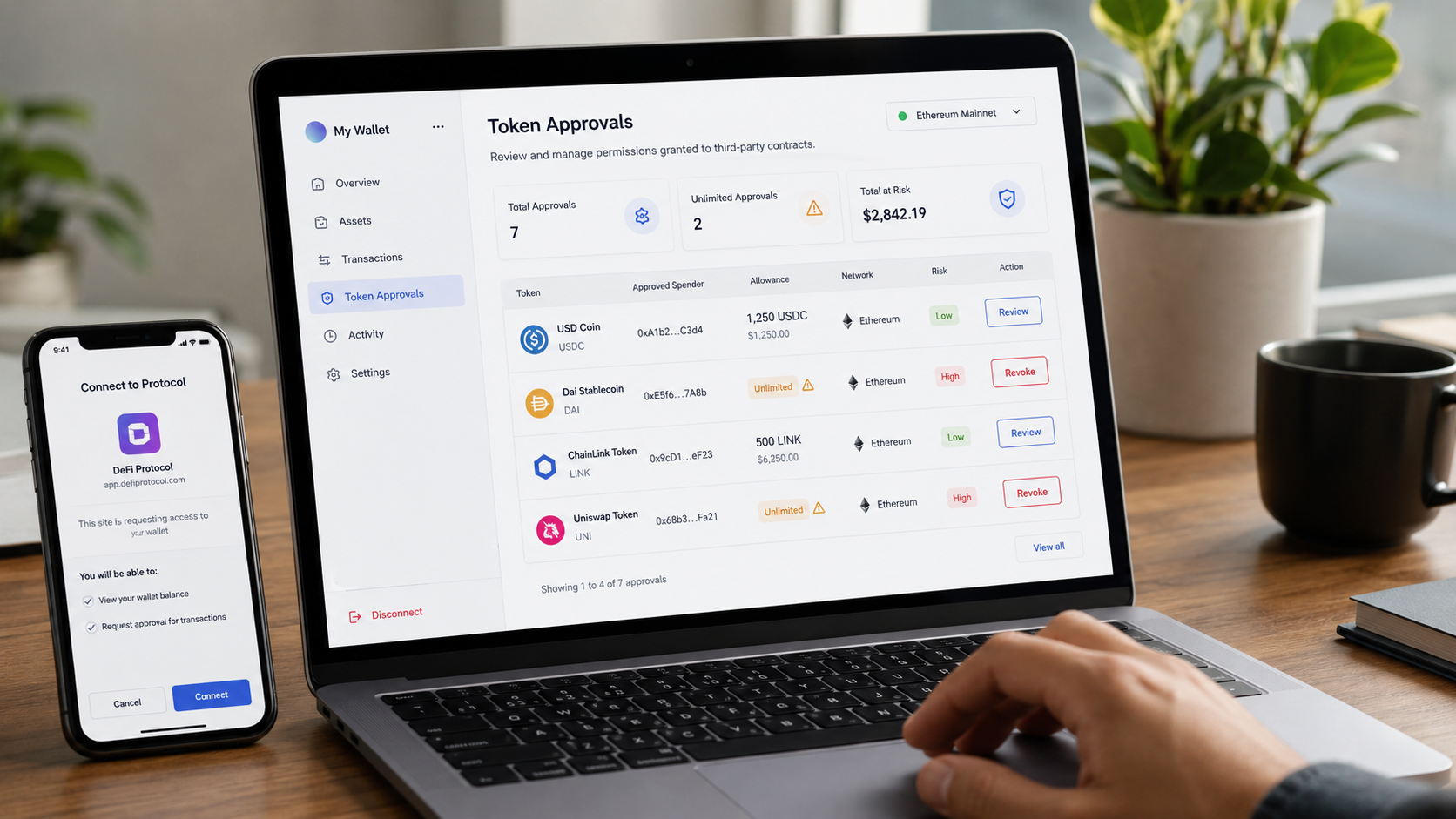
Learning how to check token approvals before using DeFi is one of the most important security habits in crypto.
Most investors focus on seed phrases, private keys, and hardware wallets. Those protections matter, but they do not cover every risk. In DeFi, many losses happen after users voluntarily give a smart contract permission to spend tokens from their wallet.
That permission is called a token approval.
A token approval is not the same as sending funds. It is a spending permission granted to a smart contract, usually so a decentralized exchange, bridge, lending protocol, staking app, or NFT marketplace can interact with a user’s tokens.
The problem is that some approvals can remain active long after the user has finished using the protocol.
If an approved contract is malicious, compromised, or no longer needed, the wallet may remain exposed even when the user is no longer actively using that DeFi application.
That is why token approvals should be treated as part of wallet hygiene.
Before using DeFi, investors should not only ask:
“Is this protocol useful?”
They should also ask:
“What permission am I giving, and do I still need it?”
Table of Contents
What Are Token Approvals in DeFi?
Token approvals are permissions that allow a smart contract to spend a specific token from a wallet.
For example, if a user wants to swap USDC on a decentralized exchange, the exchange router may first need approval to access that USDC. Once the approval is granted, the contract can execute the swap according to the transaction the user signs.
Approvals are normal in DeFi. Without them, many protocols would not work properly.
They are commonly used for:
- Token swaps.
- Liquidity provision.
- Lending and borrowing.
- Staking.
- Bridge transfers.
- NFT marketplace listings.
- Yield farming.
- Vault deposits.
- Airdrop claim pages.
The risk is not that approvals exist.
The risk is that many users approve contracts without reading what they are authorizing.
Some approvals are limited to a specific amount. Others are effectively unlimited. The Etherscan Token Approval Checker allows users to review and revoke token approvals by showing the approved spender, allowance, asset, and last updated approval information.
This means a wallet can have hidden exposure even if no funds have moved yet.
A token approval is not a loss by itself.
But it can become the door through which a later loss happens.
Why You Should Check Token Approvals Before Using DeFi
DeFi requires wallet interaction. Every interaction creates a decision point.
When a user connects to a protocol, approves a token, signs a transaction, or interacts with a smart contract, they are trusting that the interface and contract are doing what they expect.
That is where many security mistakes happen.
Crypto drainers are a clear example. Chainalysis describes crypto drainers as phishing tools built for Web3, where attackers impersonate legitimate projects and trick users into connecting wallets and signing transactions that allow assets to be stolen.
This matters because the failure is not always technical.
The blockchain may work as designed.
The wallet may work as designed.
The user may still sign the wrong permission.
That is why learning how to check token approvals before using DeFi is essential for serious investors.
It helps reduce three major risks:
| Risk | What It Means |
|---|---|
| Old approvals | Permissions from protocols you no longer use. |
| Unlimited approvals | Contracts allowed to spend more than necessary. |
| Malicious approvals | Permissions granted to fake or dangerous contracts. |
For a broader security framework, see BlockCodex’s guide: “Best Crypto Security Stack: 7 Practical Layers to Protect Digital Assets“.
Step 1: Understand What You Are Approving
Before approving anything, pause and read the wallet prompt.
The key questions are simple:
- Which token is being approved?
- Which contract is receiving permission?
- Is the approval limited or unlimited?
- Does the protocol actually need this permission?
- Is the website domain official?
- Is the contract address recognizable?
- Is the transaction consistent with what you intended to do?
A common mistake is clicking “Approve” because the interface looks familiar.
That is dangerous.
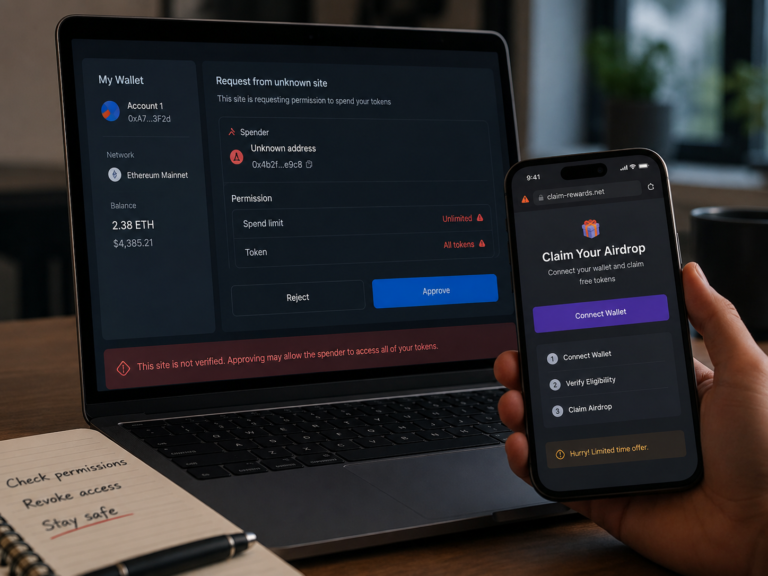
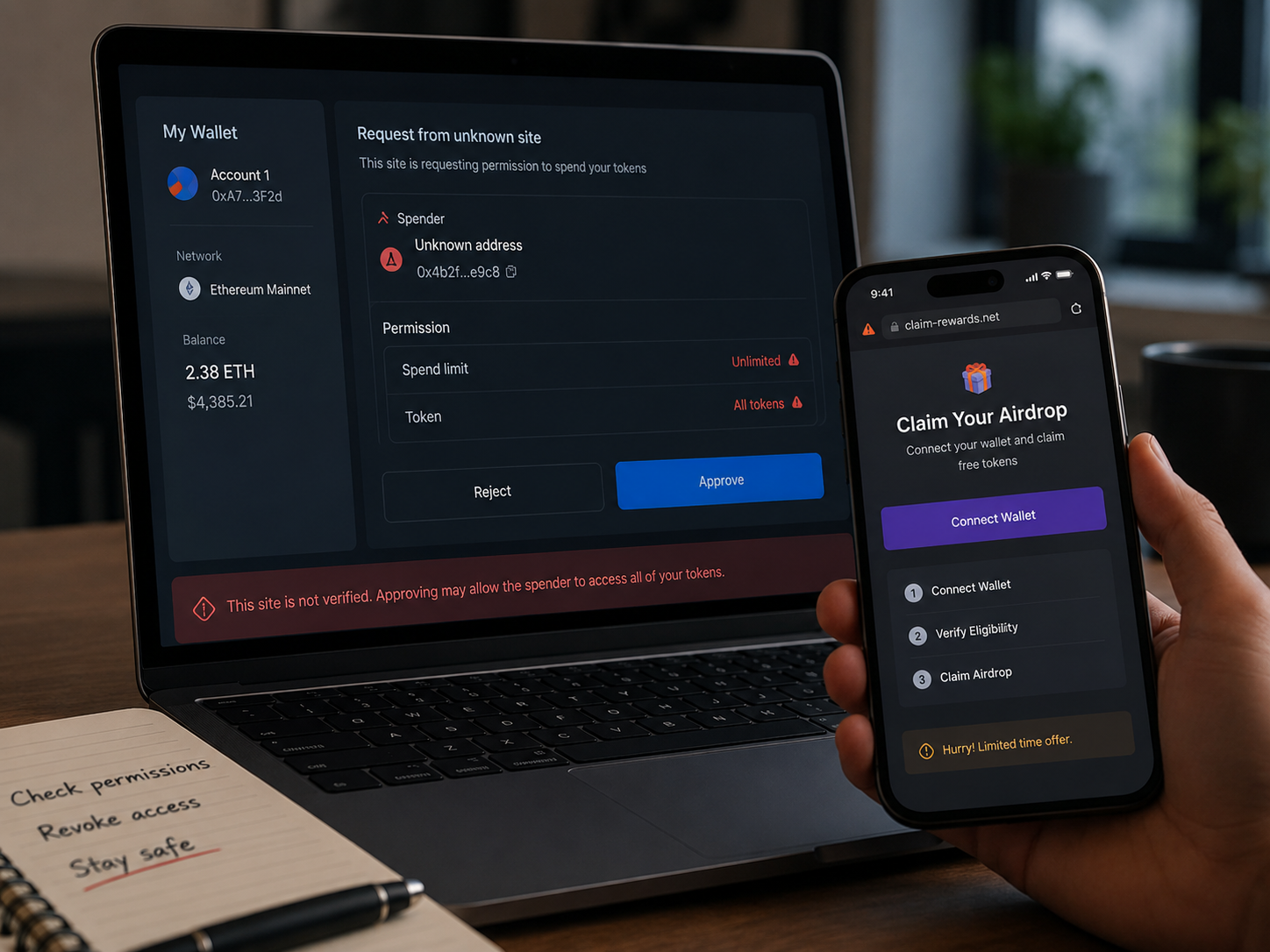
Phishing pages can imitate real DeFi apps. Fake airdrop websites can imitate claim portals. Malicious contracts can request permissions that do not match the action the user expected.
For example, if you are trying to claim a free token, but the wallet asks for approval to spend USDC, wrapped ETH, or another valuable asset, that is a red flag.
A good rule is simple:
If the approval does not match the action, stop.
Approvals should be understood before they are signed.
Step 2: Use Etherscan Token Approval Checker
The Etherscan Token Approval Checker is one of the most useful tools for reviewing Ethereum token approvals.
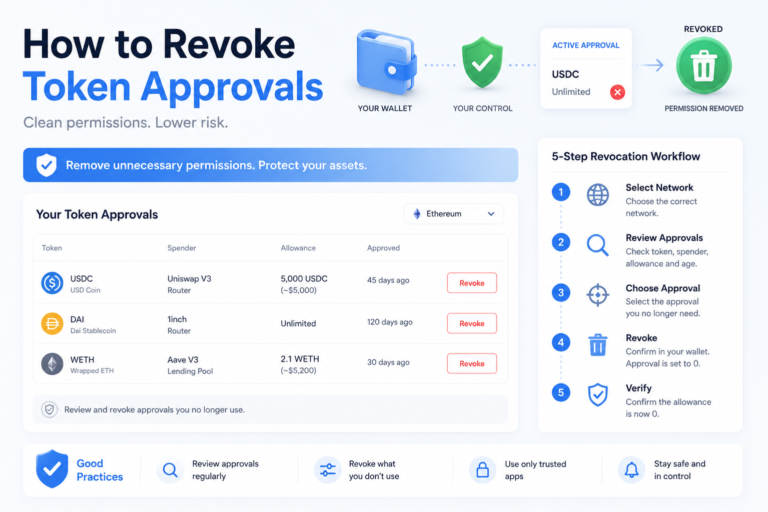
Users can enter a wallet address, review approved spenders, check allowance amounts, and revoke approvals that are no longer needed.
A basic workflow looks like this:
- Open the Etherscan Token Approval Checker.
- Enter your wallet address.
- Review ERC-20 token approvals.
- Check the approved spender.
- Review the allowance amount.
- Identify approvals you no longer need.
- Revoke risky or unnecessary approvals.
The most important field is usually the approved spender.
If you do not recognize the spender, do not ignore it.
The second important field is the allowance.
If the allowance is unlimited or much higher than what you need, the wallet has more exposure than necessary.
This does not automatically mean the wallet is compromised. But it does mean the contract has permission that should be reviewed.
For users who are still learning how to read blockchain explorers, BlockCodex also covers the practical workflow in “Blockchain Explorers: 7 Powerful Ways to Read On-Chain Data Like a Pro“.
Step 3: Check Approvals Before Connecting to New Protocols
Many investors only check approvals after something suspicious happens.
That is too late.
A better habit is to check token approvals before using a new DeFi platform, especially if the wallet already holds valuable assets.
Before connecting to a new protocol, review:
- Old approvals from similar protocols.
- Unknown spenders.
- Approvals linked to abandoned dApps.
- Unlimited allowances.
- Recently created contracts.
- Approvals from airdrop or claim pages.
- Approvals after using bridges.
This reduces exposure before adding new risk.
If your wallet already has many old approvals, connecting it to more apps increases complexity. You may not know which contract has permission, which protocol created it, or which interaction caused it.
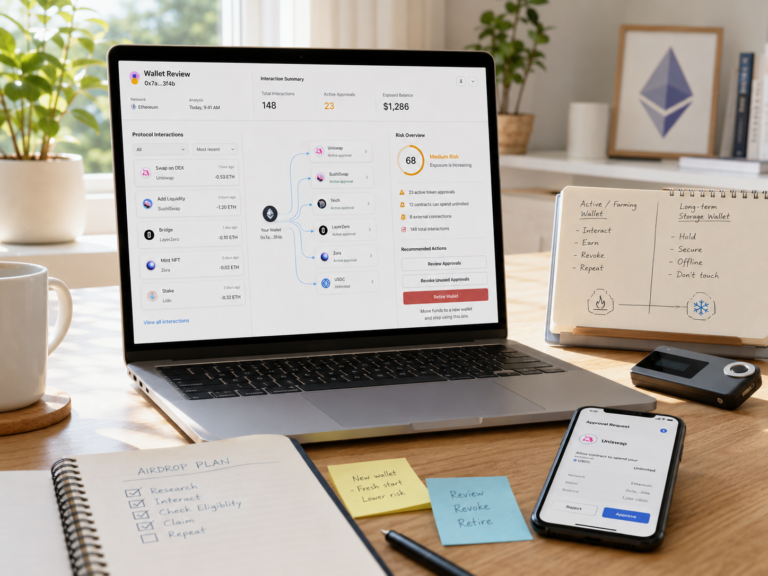
This is why wallet separation matters.
A wallet used for long-term holdings should not be the same wallet used for every DeFi experiment.
For more context, see BlockCodex’s guide: “Best Ways to Secure Crypto: 7 Practical Layers Without Overcomplicating It“.
Step 4: Avoid Unlimited Approvals When Possible
Unlimited approvals are common because they make DeFi easier to use.
Instead of approving a token again and again, users grant a large allowance once. This reduces friction and saves time.
But convenience increases risk.
If a contract has unlimited permission and later becomes compromised, malicious, or abused, the wallet’s exposure may be much larger than intended.
Revoke.cash explains that scammers often try to trick users into granting approvals to their funds. It also explains that revoking approvals can prevent further damage, although it cannot recover funds that were already stolen.
That distinction is important.
Revoking is a protection step, not a recovery tool.
A safer approach is to:
- Approve only the amount needed when possible.
- Avoid unlimited approvals for unknown protocols.
- Revoke approvals after one-time interactions.
- Use a separate wallet for experimental dApps.
- Review permissions regularly.
Unlimited approvals are not always malicious.
But they should never be forgotten.
Step 5: Use Revoke.cash for Multi-Chain Approval Reviews
Etherscan is useful for Ethereum, but DeFi activity is now spread across many chains.
Users may interact with Ethereum, Arbitrum, Optimism, Base, Polygon, BNB Chain, Avalanche, and other networks. That means approvals can exist across several ecosystems.
Revoke.cash supports approval reviews and revocations across many networks, which makes it useful for users managing permissions across multiple chains.
This matters because many users only check approvals on Ethereum and forget other networks.
A wallet may have no risky Ethereum approvals but still have active permissions on another chain.
A practical multi-chain routine looks like this:
- Check Ethereum approvals.
- Check Layer 2 approvals.
- Check bridge-related approvals.
- Check approvals after using new DeFi apps.
- Revoke permissions from unknown contracts.
- Repeat the process regularly.
Revoke.cash also offers a browser extension designed to warn users before signing potentially harmful approvals or transactions.
That kind of warning system can help users slow down before approving something dangerous.
But it should not replace judgment.
No tool removes the need to read what you sign.
Step 6: Review Approvals After Airdrops, Bridges, and New dApps
Some DeFi activities create more approval risk than others.
The highest-risk moments are usually when users are moving fast or chasing opportunities.
Examples include:
- Airdrop claims.
- Token launches.
- Bridge transfers.
- New DeFi farms.
- NFT mints.
- Urgent claim pages.
- Telegram or Discord links.
- Fake staking pages.
- Unknown decentralized exchanges.
Airdrops are especially risky because scammers use urgency and free-token psychology to push users into signing quickly.
If an airdrop requires token approvals unrelated to the claimed reward, be careful.
A legitimate claim may require a signature or transaction fee. But it should not ask for unnecessary spending permissions on unrelated assets.
After using a claim page, bridge, or unfamiliar DeFi protocol, check token approvals again.
A simple routine works well:
- Interact with the protocol.
- Confirm the transaction.
- Check token approvals.
- Revoke permissions no longer needed.
- Move remaining funds away if the wallet was used for risky activity.
For more on this risk, see BlockCodex’s article: “Legit Crypto Airdrops: 7 Smart Checks Before Connecting Your Wallet“.
Step 7: Build a Token Approval Review Routine
Approval security should not be random.
A strong DeFi wallet routine includes regular reviews.
For active DeFi users, a monthly review is reasonable. For users farming airdrops or testing new protocols, weekly reviews may be better.
| Frequency | What to Check |
| After using a new dApp | New approvals and spender addresses. |
| After using bridges | Cross-chain token permissions. |
| After airdrop claims | Unknown approvals or suspicious contracts. |
| Monthly | Old approvals no longer needed. |
| After suspicious activity | Recent approvals and wallet transfers. |
This process does not need to be complicated.
The goal is to reduce forgotten permissions.
Security in DeFi often comes down to small habits repeated consistently.
Common Mistakes When Checking Token Approvals
Many investors misunderstand approvals because they focus only on visible balances.
A wallet can look safe while still having risky permissions.
Mistake 1: Checking Only After a Hack
Approval review should happen before and after risky interactions, not only after assets disappear.
Mistake 2: Assuming Old Approvals Are Harmless
Old approvals can still matter if the spender contract remains active.
Mistake 3: Ignoring Other Chains
Approvals can exist across multiple networks, not only Ethereum.
Mistake 4: Trusting the Interface Too Much
A fake website can display friendly language while asking for dangerous permissions.
Mistake 5: Revoking Everything Without Understanding Gas Costs
Revoking approvals requires an on-chain transaction, which means gas fees. It is usually worth revoking risky approvals, but users should understand that revocation is still an on-chain action.
Mistake 6: Thinking a Hardware Wallet Solves Approvals
A hardware wallet helps protect private keys, but it does not automatically protect users from signing a bad approval.
Ledger’s educational material on Ethereum token approvals explains that token approvals can be checked and revoked using tools such as Etherscan and Revoke.cash. It also explains why malicious approvals can be dangerous.
This is why approval management belongs inside a broader crypto security stack.
Token Approvals vs Token Transfers
Token approvals and token transfers are related, but they are not the same.
| Action | Meaning |
| Token approval | Permission given to a contract. |
| Token transfer | Actual movement of tokens. |
| Revoke approval | Cancels or reduces permission. |
| Unlimited approval | Allows a contract to spend up to a very large amount. |
A transfer shows what already moved.
An approval shows what a contract may be able to move.
This difference is crucial.
If tokens have already been stolen, revoking approvals does not recover them. But revoking can prevent the same approval from being used again.
For wallet analysis, investors should review both transfers and approvals.
BlockCodex covers token movement analysis in “How to Check Token Transfers on Etherscan: 7 Smart Steps for Investors“.
Practical Checklist Before Using DeFi
Before using a DeFi protocol, ask:
- Is the website official?
- Is the token approval necessary?
- Which token is being approved?
- Which contract is receiving permission?
- Is the allowance limited or unlimited?
- Have I used this protocol before?
- Do I recognize the spender?
- Am I using the right wallet?
- Do I need this approval after the transaction?
- Should I revoke it afterward?
A good approval checklist does not make DeFi risk disappear.
But it reduces avoidable mistakes.
The goal is not to fear every transaction.
The goal is to stop signing blindly.
Conclusion
Knowing how to check token approvals before using DeFi is a basic security skill every investor should develop.
Token approvals are normal, but they create permissions that can outlive the original interaction. A swap, bridge, claim, staking action, or DeFi deposit may leave behind contract access that users forget about.
That forgotten access can become dangerous if the spender is malicious, compromised, or unnecessary.
The safest approach is practical:
- Read approvals before signing.
- Verify spender addresses.
- Avoid unlimited approvals when possible.
- Use tools like Etherscan and Revoke.cash.
- Check approvals across chains.
- Revoke permissions you no longer need.
- Separate long-term holdings from active DeFi wallets.
DeFi gives users control.
But control also means responsibility.
A wallet is not secure just because the private key is safe.
It is safer when the permissions are controlled too.